Notes on the latest Tabstract features and changes.
First things first: v3.0 introduced a bug that caused Tabstract to overtake the Safari "Start" page unintentionally for a small number of users; this was a result of our workarounds to support pinning Tabstract in a Safari tab. We're sorry about that. Thank you to Tatsuma N. for reporting the bug.
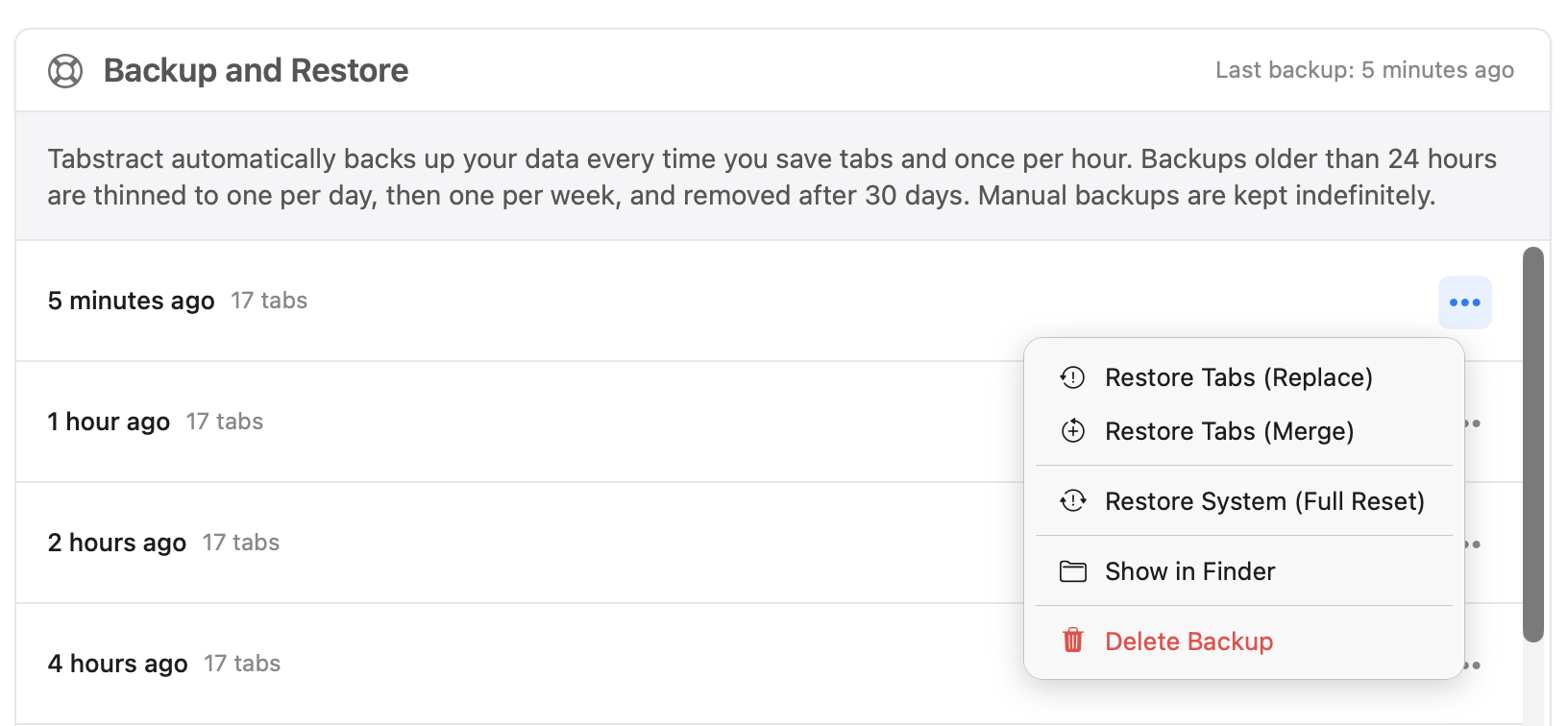
Reliability is a top priority, and version 3.1 is focused on making sure your tabs are always safe and sound. Tabstract now automatically backs up your data (saved tabs and settings, Filters, etc.) in the background, so even in the worst-case scenario, your data is protected. You can also create manual backups anytime and restore from any previous backup, with options to restore and replace or merge tabs, or restore the entire system including settings.
Look for Backup and Restore on the Help + Tips page.
We've added the ability to export individual tab groups directly, without exporting your entire library. Use the group-level context menu to export. Thanks to Kazuo S. for suggesting this one! You can also export arbitrary sets of tabs via Advanced Mode—select exactly what you want and export just that.
A big thank you to Dave N. for helping us improve our German translations. If you speak a language we support and notice something that could be better, we'd love to hear from you at help@tabstract.app.
We're working on iCloud sync so your tab library stays in sync across all of your Macs (and maybe other devices soon too? 😅). If you'd like to beta test this feature—or help test Tabstract in general—please reach out at help@tabstract.app.
If Tabstract is making your life a little easier, please leave a rating or review on the App Store. It takes 30 seconds and makes a huge difference for a small app. Honest reviews help other people find Tabstract, and they help me keep building it. Thank you!
Tabstract 3.0.1 temporarily removes the "Pin Tabstract" feature that was added in 3.0. Unfortunately there is not currently official support for this feature in Safari and our workarounds created inconsistent behavior for some users, especially with slower computers. We're looking into alternative approaches.
Thank you to Tatsuma N. for reporting the bug.
Tabstract 3.0 is a big one. We've added powerful new tools for users who save hundreds of tabs and want better ways to organize, filter, and automate. Everything new is optional; Tabstract still works exactly as it always has for casual use. But if you want more, it's here.
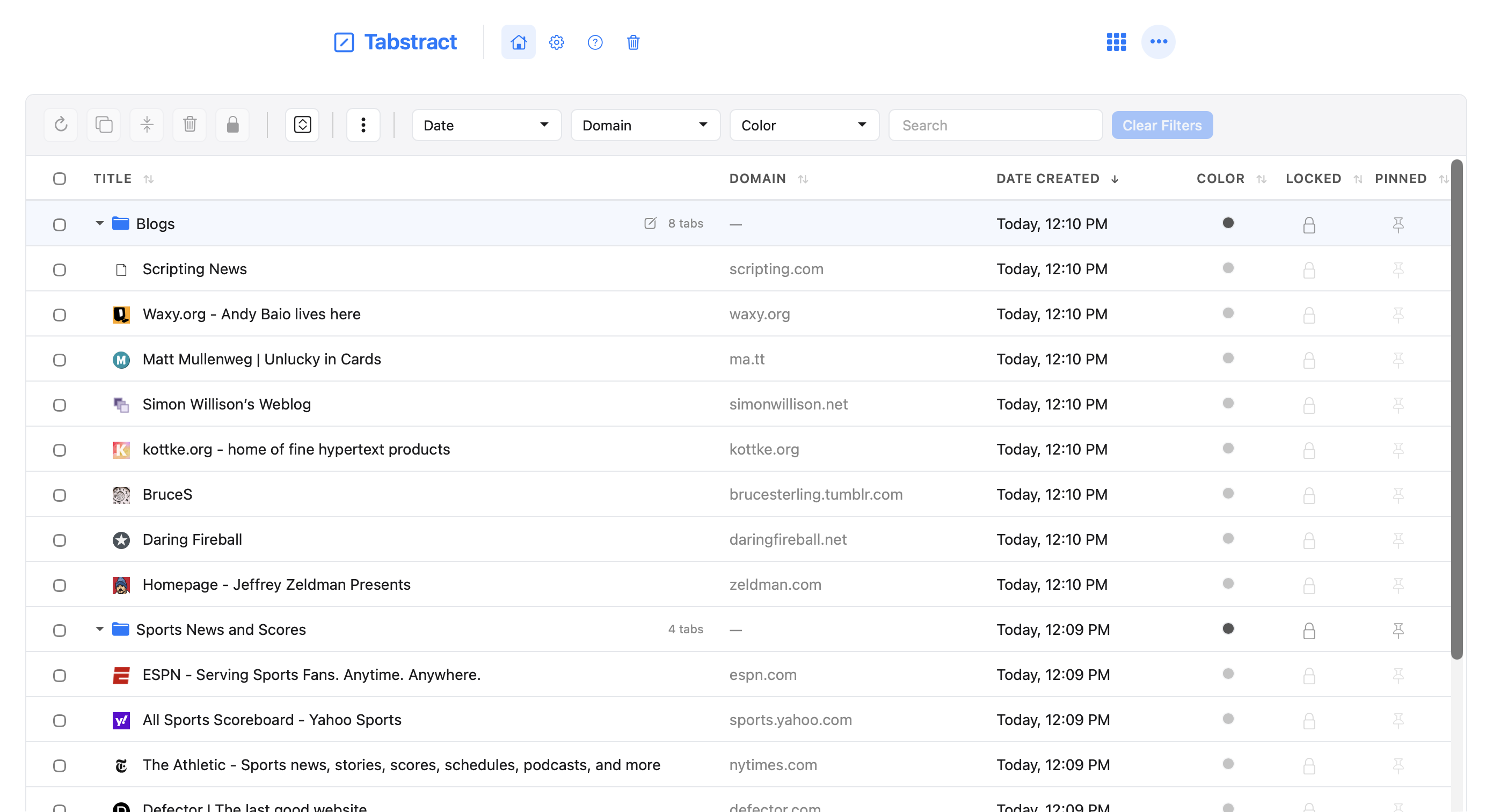
Flip the toggle and Tabstract transforms into a full-screen, file-system-style view of your entire tab library. Every tab, all at once, sortable and filterable. Click column headers to sort by title, domain, and date saved. Search across everything. Filter by dates, domain, or color.
Click the new grid icon in the top-right corner of the screen, or type "A" as a keyboard shortcut, to toggle Advanced Mode.
Routines are tab groups you can open on a schedule. Maybe you check a set of news sites every morning, or a collection of dashboards on Mondays. Just create a Tab Group, save it as a Routine, and then set a schedule, and Tabstract will open them automatically at the time you specify.
You can also trigger Routines manually—think of them as bookmarks on steroids.
Think Gmail filters, but for your tabs. Set up rules like "domain contains github" or "keywords contain recipe" and Tabstract automatically groups matching tabs together. Filters update dynamically as you save new tabs, no manual sorting required.
Combine multiple conditions (domain + keyword) or use regex for precise targeting.
There are lots of new things that you can do with tab groups: pin them to the top so they're always at the top of the list, assign colors, duplicate them, split into smaller groups, copy as Markdown/rich text/plain URLs, send to top.
You can now pin Tabstract itself as a tab in Safari, and the pinned tab will survive browser restarts. No more hunting for Tabstract after relaunching Safari—it stays right where you put it.
Unfortunately there is no official way to do this correctly in Safari, so we have to rely on a series of workarounds. It does work reliably in my testing, but please reach out if you have any trouble. One by-product of our approach is that Tabstract will always set itself as the first pinned tab - that is a known bug.
Thanks Christian G for the encouragement to get this fixed!
AI features (auto-naming, smart categorization) now work in all regions where Apple Intelligence is available.
We've added Danish, Norwegian, Turkish, and Vietnamese—bringing our total to 21 supported languages.
This release introduces the new Actions menu to make powerful features more discoverable, plus Traditional Chinese support and refinements throughout the interface.
Global actions that used to be hard-to-find or scattered across the interface are now organized in one place. The Actions menu includes tools for creating new sessions, pasting URLs from your clipboard, copying (in multiple formats), exporting/importing, locking/unlocking all sessions, and removing duplicate tabs across your library.
Some of these features existed before but were hard to discover. Others—like Lock/Unlock All, Trash Duplicates, Copy as Markdown, and Copy as Rich Text—are completely new.
In v2.4 we introduced the ability to open tab groups in new windows. Previously this respected the "background tabs" setting, but we've changed it so opening a tab group in a new window now always happens in the foreground for a more predictable experience.
Tabstract now speaks Traditional Chinese (zh-TW) in addition to the 15+ languages we already support.
Fixed the flash of white background when loading in dark mode, plus numerous small refinements to menus, spacing, and visual consistency throughout the app.
Feature requests are how Tabstract gets better, and our newest release comes with three new features that were all requested by users just this week!
Tabstract now has a setting to "Save tabs across all of your windows." Turn it on and every time you save, Tabstract will save tabs from every Safari window instead of only the window in the foreground. Tabs from each window become their own distinct sessions (unless you have AI categorization enabled, in which case they are all grouped intelligently by theme).
This should have been here since 1.0, but I don't tend to use multiple windows and never really thought about it 😬 Thank you to Nick G. for the suggestion!

Of course, if you can save tabs across multiple windows, you should be able to restore tabs to multiple windows too. You'll find a new setting under Tab Restoring to "Restore tab groups in..." your current window (default) or always to a new window instead. If Tabstract is the only tab open in the current window, we just reuse that window either way. Thank you Christian G. for the suggestion!

Thanks to Dave N. for the encouragement to finally add this feature! There is now a "Select" item in the toolbar where you can choose exactly which tabs you want to save; it's no longer all-or-nothing. Check the tabs you want, uncheck the rest, hit save.
You can now curate your sessions the way you want, at the point of saving.

If you've got ideas for making Tabstract better, get in touch! help@tabstract.app
AI features now work in 8 more languages, not English-only! And something else completely new too: you can now customize Tabstract's colors to match your personal preference.
All of our AI features now work in every language Apple Intelligence supports: Spanish, French, German, Italian, Portuguese (Brazilian), Japanese, Korean, and Chinese (Simplified). Same privacy guarantees—everything happens on your Mac, nothing leaves your device.
I only speak English so have no real idea how well this works in other languages. 🤷♂️️
Pick your own accent color in Settings. Buttons, borders, highlights—the whole interface adapts to whatever color you choose. Make it yours.
Tabstract now respects macOS system settings for Increase Contrast and Reduce Motion—turn them on in System Settings and the app adjusts automatically. We also improved VoiceOver support so all buttons and navigation announce properly in whatever language you're using.
In Tabstract 2.0 we introduced some new AI features which are—for the moment—only available in English. So we threw together another quick update to add a language setting directly in Tabstract—now you can keep your computer localized, but use Tabstract in English to access the AI features.
I skipped v1.9 because there is so much packed into this update, it felt wrong to call it anything less than 2.0. Here's everything we're releasing in Tabstract v2:
With Apple Intelligence, Tabstract can automatically name your tab groups based on what's in them, and even organize tabs into categories. Click the sparkle (✨) to regenerate a new title for a tab group if you want to replace it. Everything happens on your Mac, it's completely private and your data stays on your device.
Open Tabstract when Safari starts, and auto-save and close all of your tabs for a clean slate every time you start browsing. Both optional, obviously.
Switching from OneTab, Tab Saver, or Tab Space? Tabstract now imports their files directly. Or paste any list of links—plain text, Markdown, whatever, directly into Tabstract and we will save them too.
Deleted stuff now goes to trash for 30 days before it's really gone. Restore anything from trash with one click, or empty trash to clean house.
You can now create "empty" tab groups to drag links into and organize them however you'd like. Easier and more reliable drag & drop too. Improvements to the group naming UX. Pretty good stuff.
New users get a welcome screen instead of...nothing, plus some sample tabs to mess around with. We also redid the help page so it's not terrible.
Redesigned the whole settings page. It's cleaner, makes more sense, and you can now import/export your Tabstract config for back up or sharing between Macs.
English, Spanish, French (🇫🇷 🇨🇦), German, Italian, Portuguese (🇵🇹 🇧🇷), Japanese, Korean, Russian, Swedish, Dutch, Chinese, and Arabic. Every new feature is translated.
Smoother animations, even better dark mode, more reliable across the board, improved keyboard shortcuts, and a bunch of visual tweaks you probably won't notice but we're proud of anyway.
Tabstract v1.8 adds lightning-fast search capabilities! Use the search box to easily find your tabs across all of your saved groups (press "/" to do it without leaving the keyboard!)
We've also added a few new interface refinements to keep things looking fresh 💅
Tabstract v1.7 adds "Copy to Clipboard" (in plaintext/tsv format) to the Export menu. Export file names are also now more descriptive and datestamped.
Tabstract v1.6 required a significant refactor to properly implement Dark Mode, and left behind a few bugs impacting buttons and hover states. Tabstract v1.6.1 fixes those bugs.
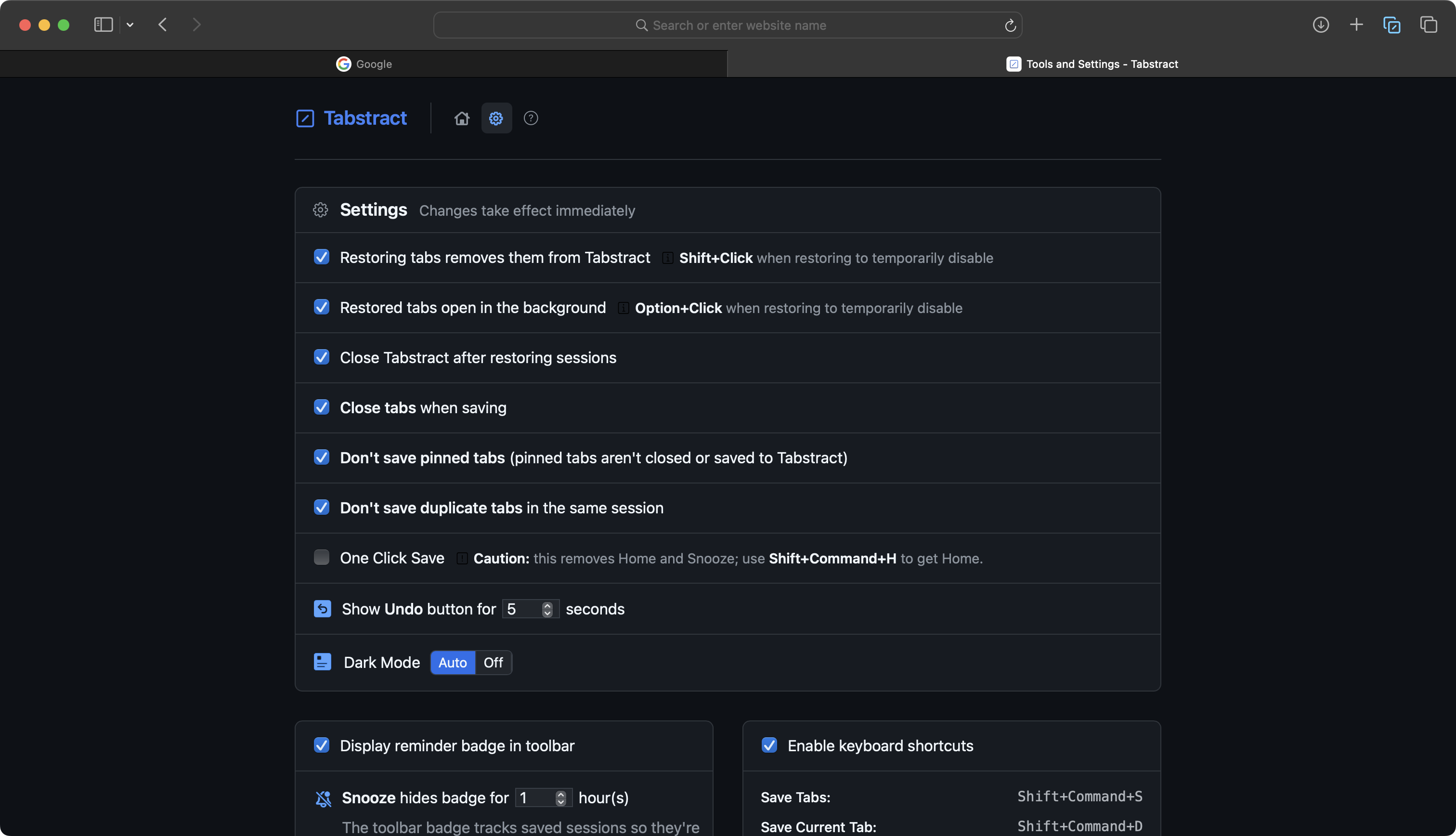
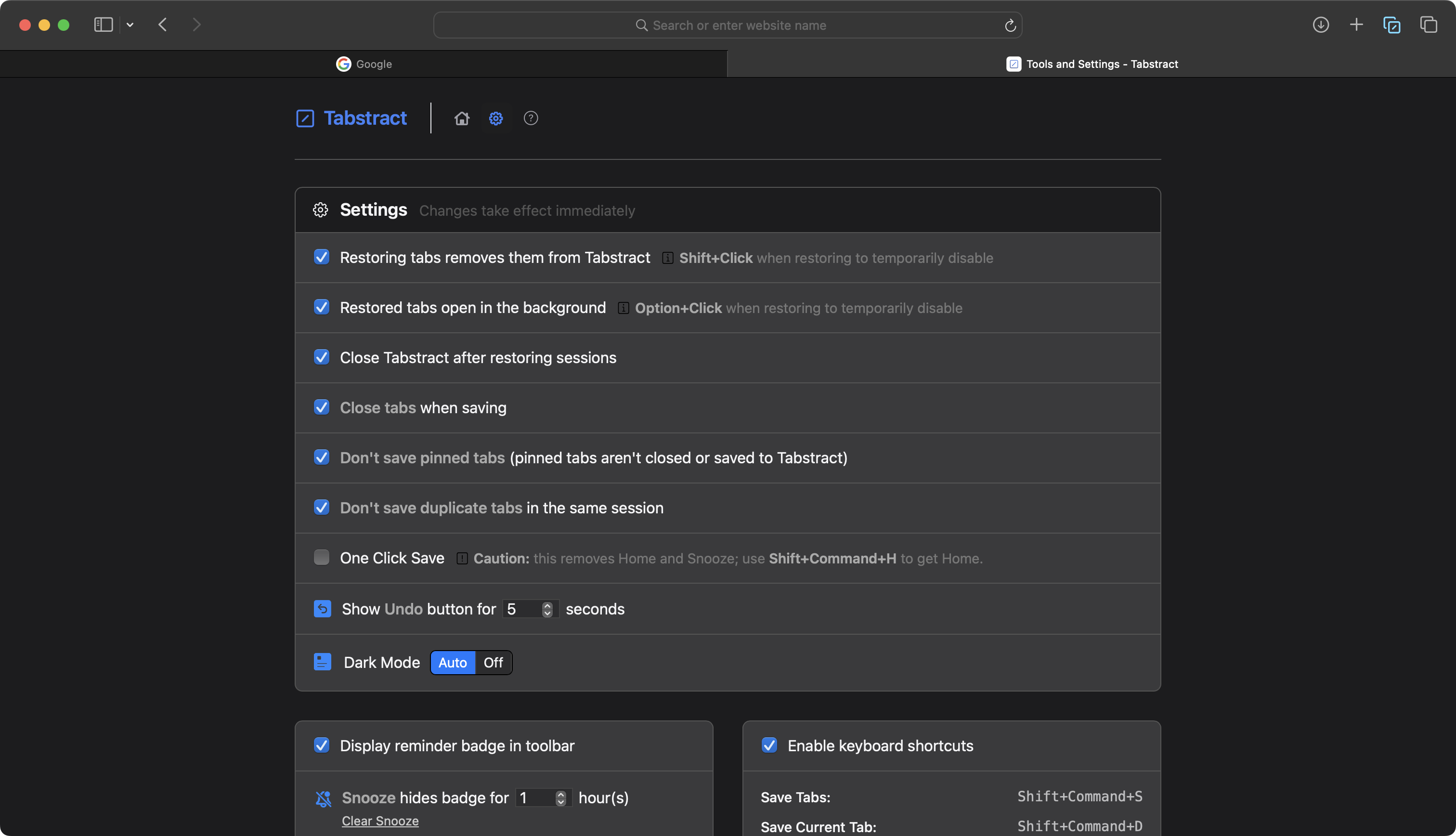
Tabstract v1.6 overhauls our previously half-baked Dark Mode into a first-class experience, including new settings. Snooze: you can now unsnooze directly from the toolbar. Various bugs fixed too.
New (left) vs. Old (right).
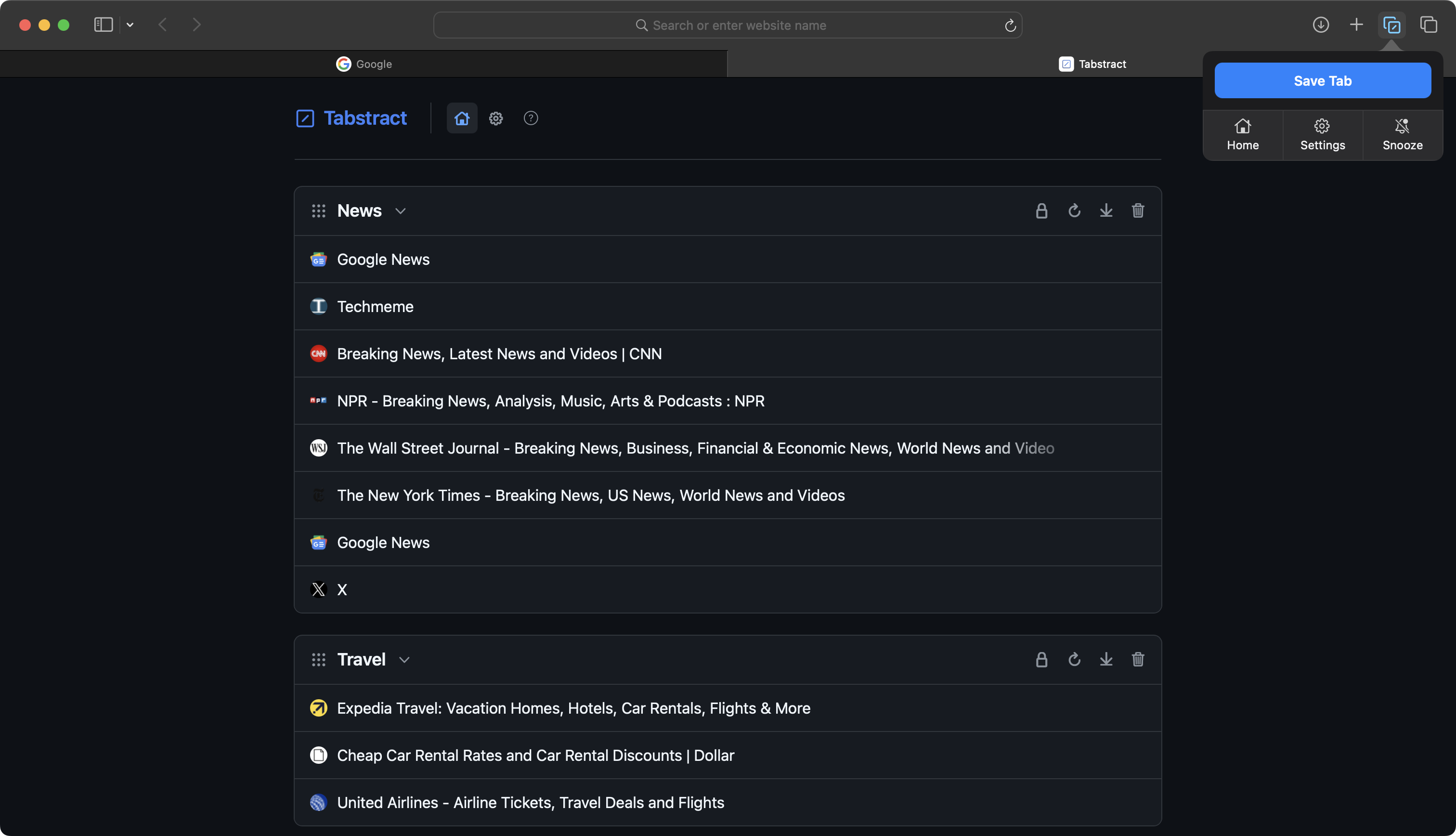
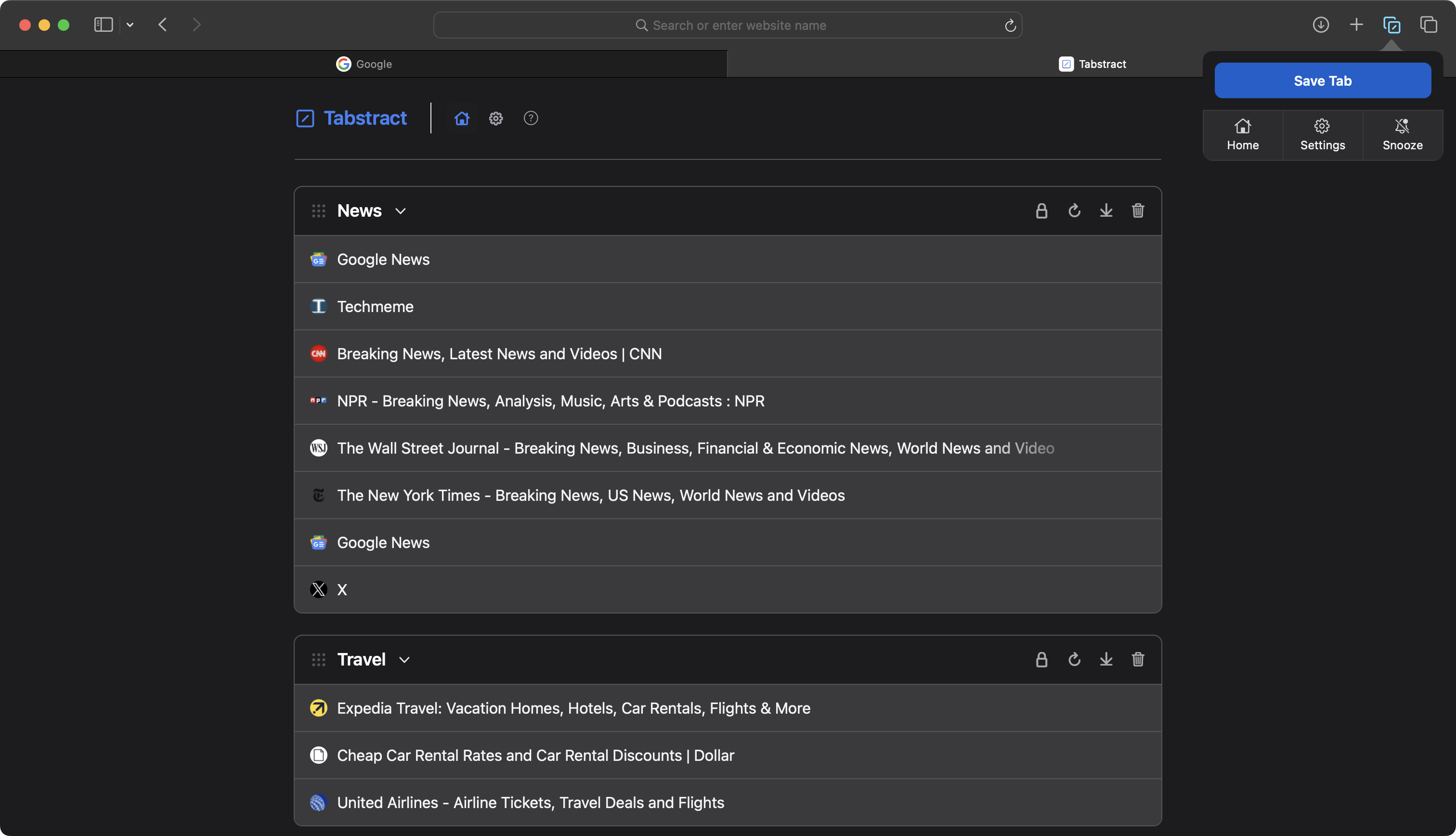
Tabstract v1.5 introduces the ability to collapse groups for better storage, and easier organizing via drag-and-drop. Shift-click to open/close all groups at once. We have also introduced a new Tips page with more information on hidden features, and a refreshed and more polished design.
If you have any questions, feel free to reach out:
help@tabstract.app